
The Plate agent
Plate ships with a built-in AI agent that works as a member of your team. Add it to a project like a teammate, then assign it tasks or @mention it in comments — it answers right where your team already works.
What it is
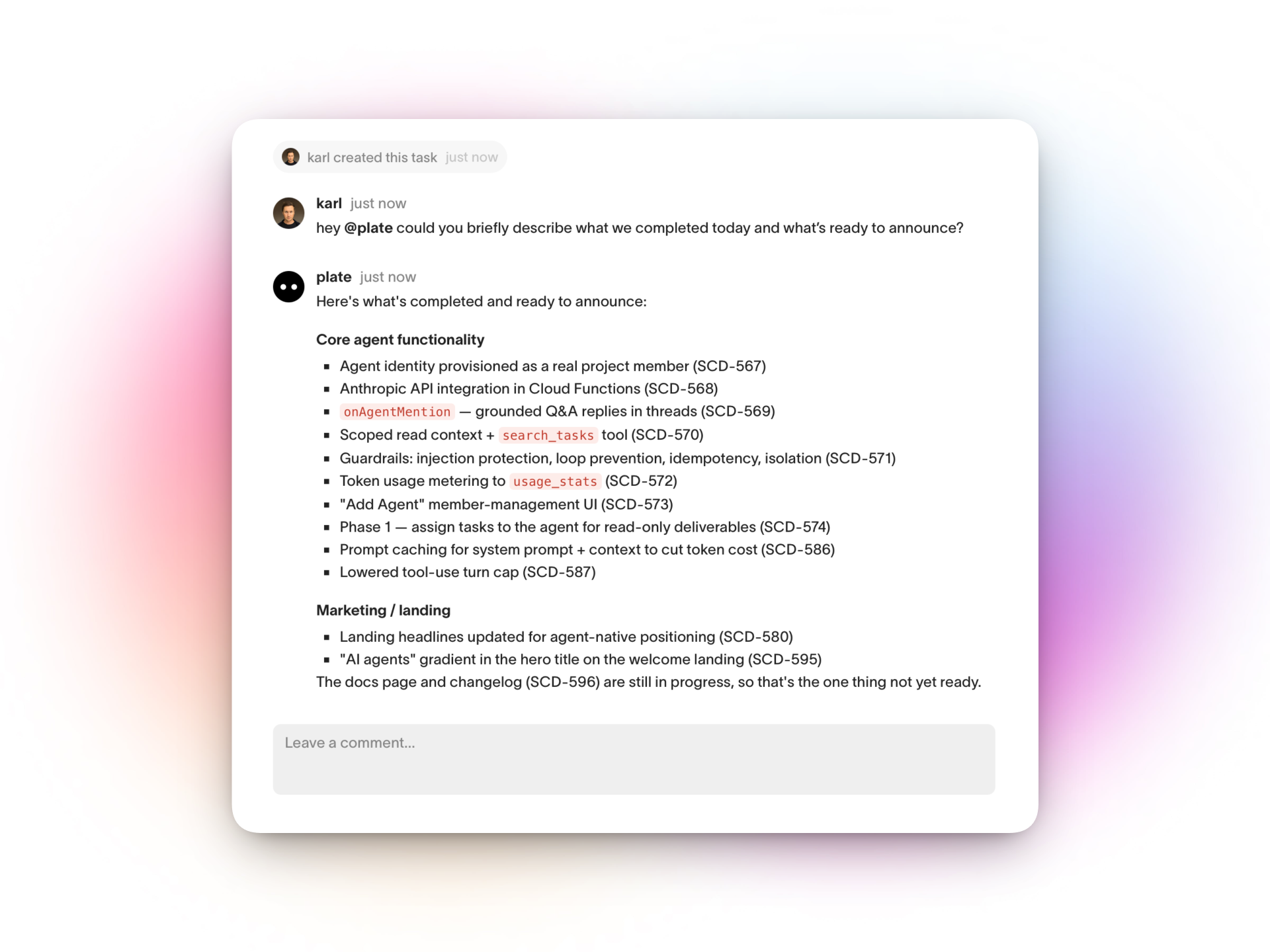
The agent is a regular workspace member named plate. Once it's turned on, it shows up in your member list, you can @mention it, and you can assign tasks to it. It doesn't live in a separate chat window — it works inside your projects, tasks, and comments alongside everyone else.
It only sees the projects you explicitly add it to. Nothing else in the workspace is visible to it until you grant access — exactly like a human member.
Turning it on
Only the workspace owner can enable the agent.
- Open Workspace settings → Members.
- Under AI agent, flip the toggle on.
plateis now a member of your workspace. - Open a project and add
plateto its team, the same way you'd add any teammate.
What it can do
Answer in comments
@mention @plate in a comment on any task in a project it belongs to, and it replies in the same thread. It reads the task's title and description and the comment conversation, and it can look across the other tasks in that same project to ground its answer. Use it to ask what a task means, summarize the discussion so far, or check what related work exists.
Work an assigned task
Assign a task to plate and it gets to work on its own:
- Moves the task from Todo to In Progress.
- Produces a first draft from the task's title and description — a summary, an outline, a written answer, a plan.
- Posts the result as a comment and moves the task to Review.
The agent never marks a task as done — it stops at Review so a person always has the final say.
What it can see
The agent is boxed into a single project at a time — the one where you assigned it or @mentioned it. Within that project it can read task titles, statuses, and the description and comments of the task it's working on. It cannot:
- See any project it hasn't been added to
- See other workspaces
- Read the comments or descriptions of tasks in other projects
These limits are enforced in Plate's backend, not by politely asking the AI — so the agent can't wander outside the project you put it in.
Use cases
Write a clear task description, assign it to plate, and come back to a first draft in Review — a spec outline, release notes, a customer reply, a checklist to refine.
Jumping into a long discussion? @mention @plate and ask it to summarize what's been decided so far and what's still open.
Ask @plate whether anything similar already exists in the project, or which open tasks touch a given area — it can search the project's tasks for you.
When a task is vague, @mention the agent in the comments to get a plain-language read of what the task is asking for before anyone starts on it.
Frequently asked questions
Does it cost extra?
The agent is included with your workspace. Usage is metered — you can see the agent's token usage in Workspace settings → Usage.
Can it delete tasks or change things behind my back?
No. The agent reads to answer and writes its output as comments. When it works an assigned task it only changes that task's status (to In Progress, then Review) — it never completes or deletes tasks. A person always reviews and decides.
Can anyone on the team use it?
Any member of a project the agent belongs to can @mention it or assign it a task. Only the workspace owner can turn the agent on or off.
How do I stop it from seeing a project?
Remove plate from that project's team, just like removing a teammate. To remove it everywhere, turn the agent off in Workspace settings → Members.
Questions? Write to us at hello@plate.to