
How we make Plate feel instant
Great software has a quiet superpower: it never makes you wait. You click, and the thing is just there. That feeling isn't luck — it comes from a simple idea about the order in which you load things. Here's ours, and how you can borrow it for your own app.
As Plate workspaces grew, we noticed something uncomfortable: the app was getting slower for our most active users. The people who relied on Plate the most — the biggest workspaces, the fullest projects — were getting the worst loading experience. That's exactly backwards.
The obvious fix is to load the whole workspace the moment the app opens. It's tempting, because it makes the frontend simple — everything is just there in memory. But it has a fatal flaw: startup time grows with the size of the account. The more work you've done in Plate, the longer you wait to open it. So that didn't work for us.
The order is what matters. We think about loading in three moves.
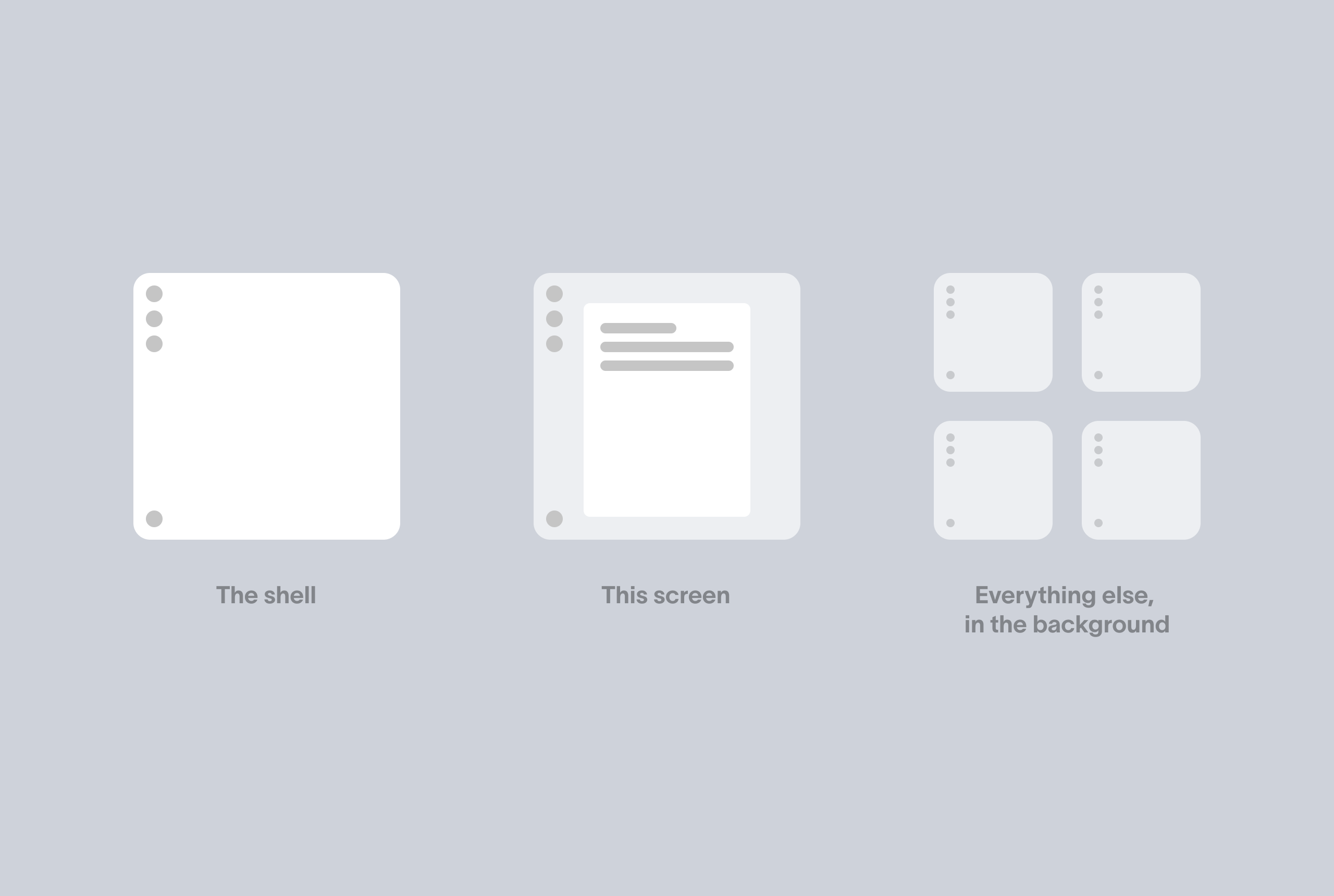
First, the shell
The moment you open Plate, the frame appears: the sidebar, your name, where you are, the shape of the page. This part is tiny — a little identity and some navigation — so it loads in a blink even on a shaky connection, and on repeat visits it's served straight from a local cache with no network wait at all. Nothing important should ever hang while the frame draws.
Think of walking into a restaurant. You don't wait at the door until every dish is cooked. You're seated, you see the room, you feel like things are happening. The shell is being seated.
Then, just what this screen needs
Next we load the smallest amount of data that makes the screen you're actually looking at useful — and nothing more. Landed on your list of projects? We load the projects. Opened one task? We load that task. The spinner disappears the second that screen is ready, not when the whole app has finished loading.
This is the part most apps get wrong. They make you wait for data you can't even see yet, on screens you haven't opened.
Meanwhile, everything else, quietly
Here's the trick that ties it together. From the instant you sign in, we're also loading the next useful layer of data in the background — the other projects, your open tasks, the things you're most likely to reach for next — without blocking anything or showing a spinner. You're already working; it arrives quietly while you do.
"Everything else" doesn't mean literally every byte at once. A workspace can be enormous, and blindly pulling all of it would just move the slowness somewhere else — onto a weak laptop, a phone, or a shaky mobile connection. So the background layer is loaded within sensible limits: the next thing you're likely to need, not the entire history of the account. When a workspace outgrows even that, the same idea still holds — you just split it finer, loading per project or per visible screen instead of all at once.
So by the time you click into another project, it's usually already there. Nothing loads. It just opens.
We take this one step further with a smaller trick: intent. The moment your mouse hovers over a task — before you've even clicked — we quietly start fetching the details you're about to want, like its comments. By the time the click lands, they're already loaded. It's the same principle at a smaller scale: guess the next useful thing, fetch it early, out of sight.
The three moves, together
-
The shell — instantly
The frame, your identity, navigation. From cache, no waiting.
-
This screen's minimum — right away
Just enough to make the screen you're on useful. The spinner lifts here.
-
Everything else — in the background
The next useful layer streams in quietly, within sensible limits, so the next move is immediate.
There's a nice bonus. Because everything lives in one place in memory, screens that show the same data from different angles — the full list, only your tasks, a breakdown by person — don't each load their own copy. They're just different views over the same data you already have. Flipping between them is instant, because there's nothing to load.
Even opening a direct link deep into the app follows the same rule. If you paste a link straight to a single task, we show it as soon as that one task and its project are ready — and quietly keep loading the rest behind it. So the moment you click "back," the whole project is already there.
The best part is that most of the win comes from order, not horsepower. You don't need a fancy setup to feel fast — you need the right sequence. Load the frame first so people feel at home. Load just enough for where they are. And quietly bring in the heavier history while they're busy, off the path of anything they can see — so the move afterwards is already done.
That's the whole idea. Steal it.
Questions? Write to us at hello@plate.to